
Gravitas Kitchen
Your kitchen gets memory.
Download on the App Store
Gravitas Kitchen is an AI food assistant that helps you figure out what to cook and what to buy.
Tell the app what food you have, and it turns that into a simple kitchen inventory. From there, Gravitas Kitchen can suggest recipes, show what ingredients you already have, what you have bought before, and what you still need.
Stop staring into the fridge and ordering takeout when you already have food.
What it is
Gravitas Kitchen is built around the ordinary kitchen problem: you have food, but you still do not know what to cook.
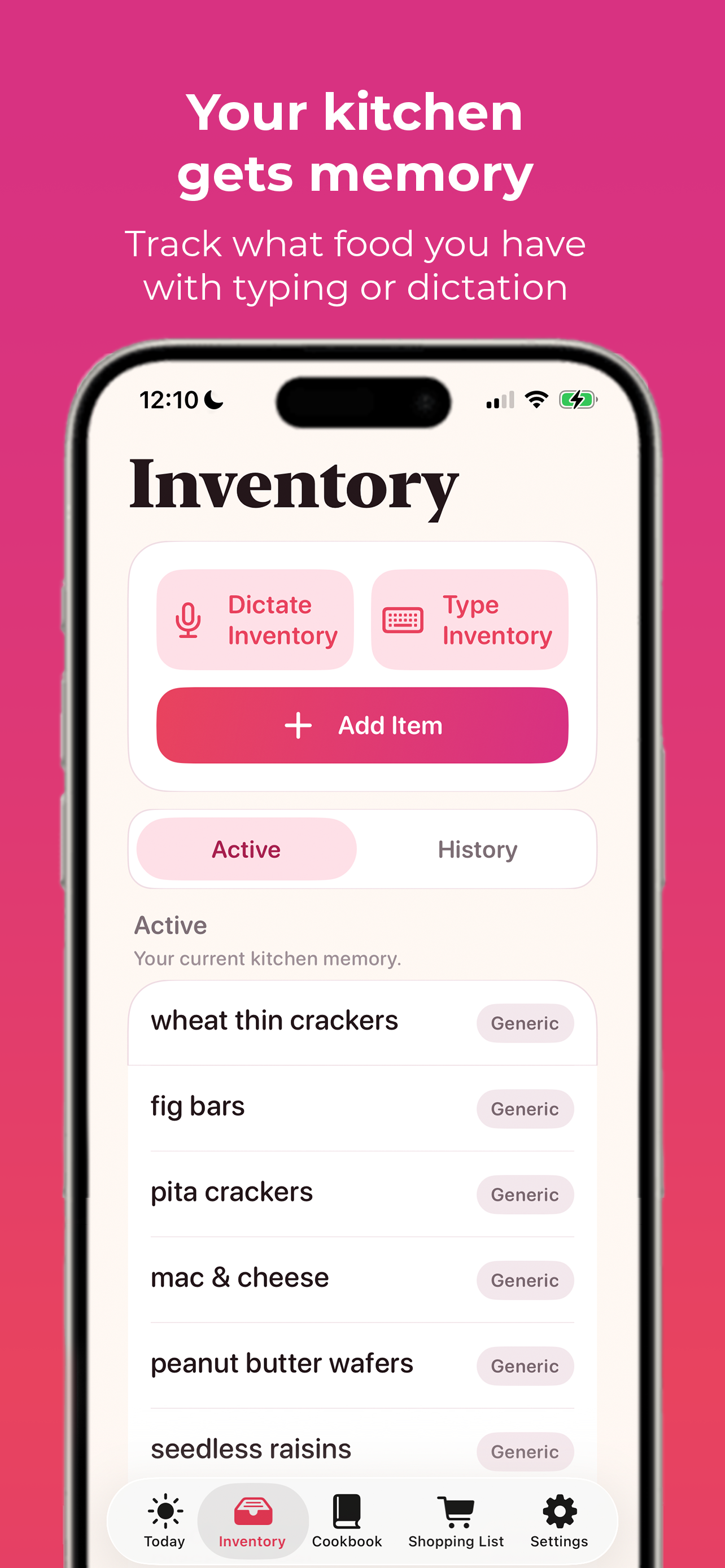
- Your active inventory stays visible. Add chicken thighs, broccoli, eggs, Greek yogurt, rice, tortillas, salsa, pasta, or whatever is actually in the kitchen.
- Your food history becomes useful. The app remembers food you have added before, so it can recognize something that is not in stock but may be worth reordering.
- Recipes become practical plans. Ingredients are organized around what you have, what you bought before, and what you still need.
The result is a food assistant for turning the groceries already around you into dinner and shopping decisions.
How it works
Gravitas Kitchen keeps the workflow simple: add what you have, find something to cook, then build a shopping list only for what is missing.
Typical flow
- Add what you have: Type or dictate your food inventory, such as chicken thighs, broccoli, eggs, Greek yogurt, rice, tortillas, salsa, and pasta.
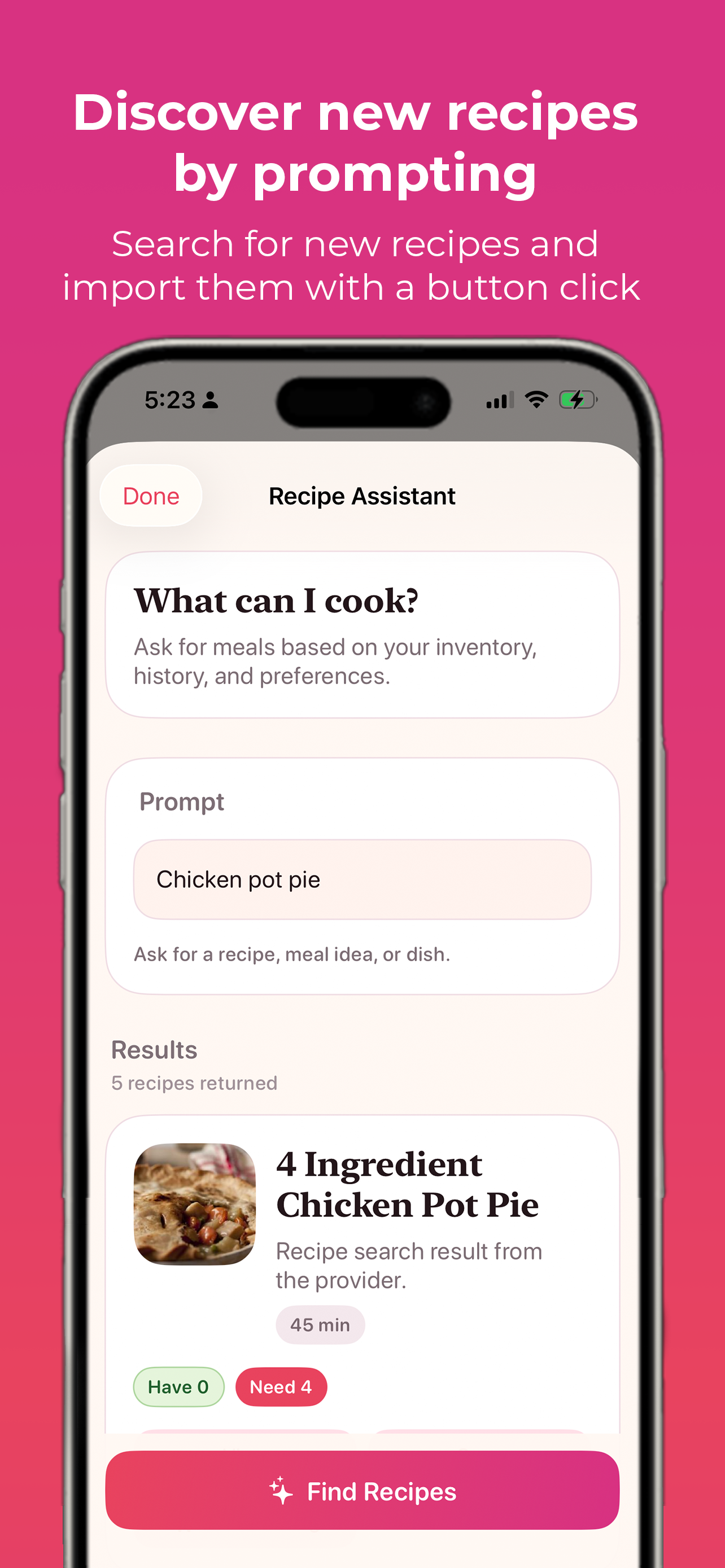
- Find something to cook: Ask Recipe Assistant for meal ideas using natural prompts like Easy dinner with chicken and broccoli or What can I cook tonight?
- Review the ingredients: See what you have, what has a saved product match, what can be reordered, and what you still need.
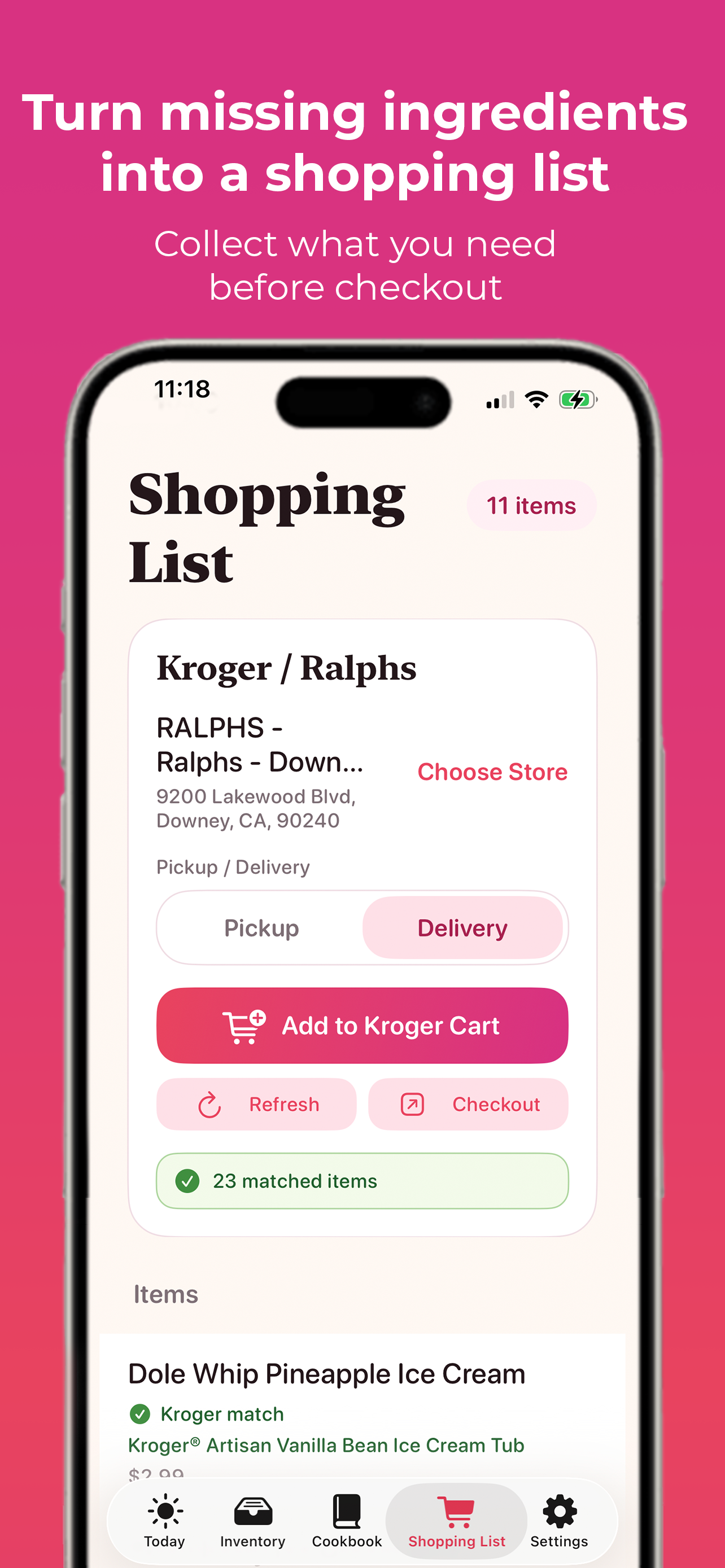
- Build your Shopping List: Add missing ingredients, reorder ingredients, optional ingredients, individual recipe items, or manual grocery items.
- Send it where you shop: Copy or send the list to supported grocery destinations where configured, then finish checkout with the grocery provider.
Recipe Assistant
Use Recipe Assistant to search for meal ideas around your actual kitchen instead of treating every recipe like a random webpage.
- Ask naturally: Try Cheap high-protein meal, What can I cook tonight?, or Pepperoni pizza.
- Start from your inventory: Meal suggestions can use the food you already entered as the starting point.
- Move from idea to action: Recipe ingredients can become shopping list items without making you rebuild the list by hand.
Ingredient status cards
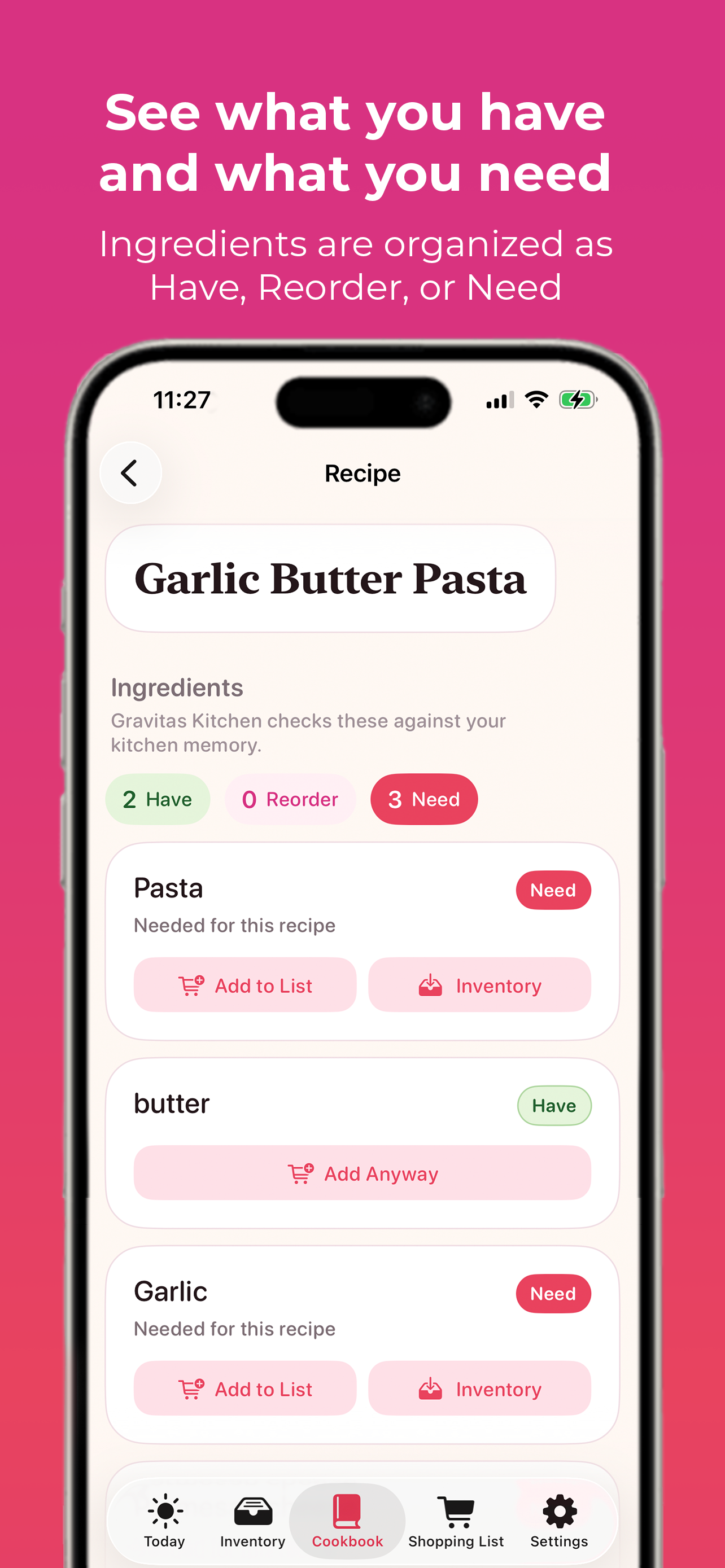
Recipe ingredients are shown as simple cards so you know what each ingredient means before you shop.
- Have: You already have this ingredient.
- Product: You have a saved product match, like a specific yogurt, sauce, or brand.
- Reorder: You bought this before, but it is not currently in your active inventory.
- Need: You do not have this ingredient yet.
This turns recipes into a practical plan instead of a plain ingredient list.
Grocery handoff
Gravitas Kitchen is designed for grocery handoff, not automatic ordering.
- Copy the list: Keep the shopping plan portable when you want to paste it somewhere else.
- Supported destinations: Send the Shopping List to supported grocery destinations where configured.
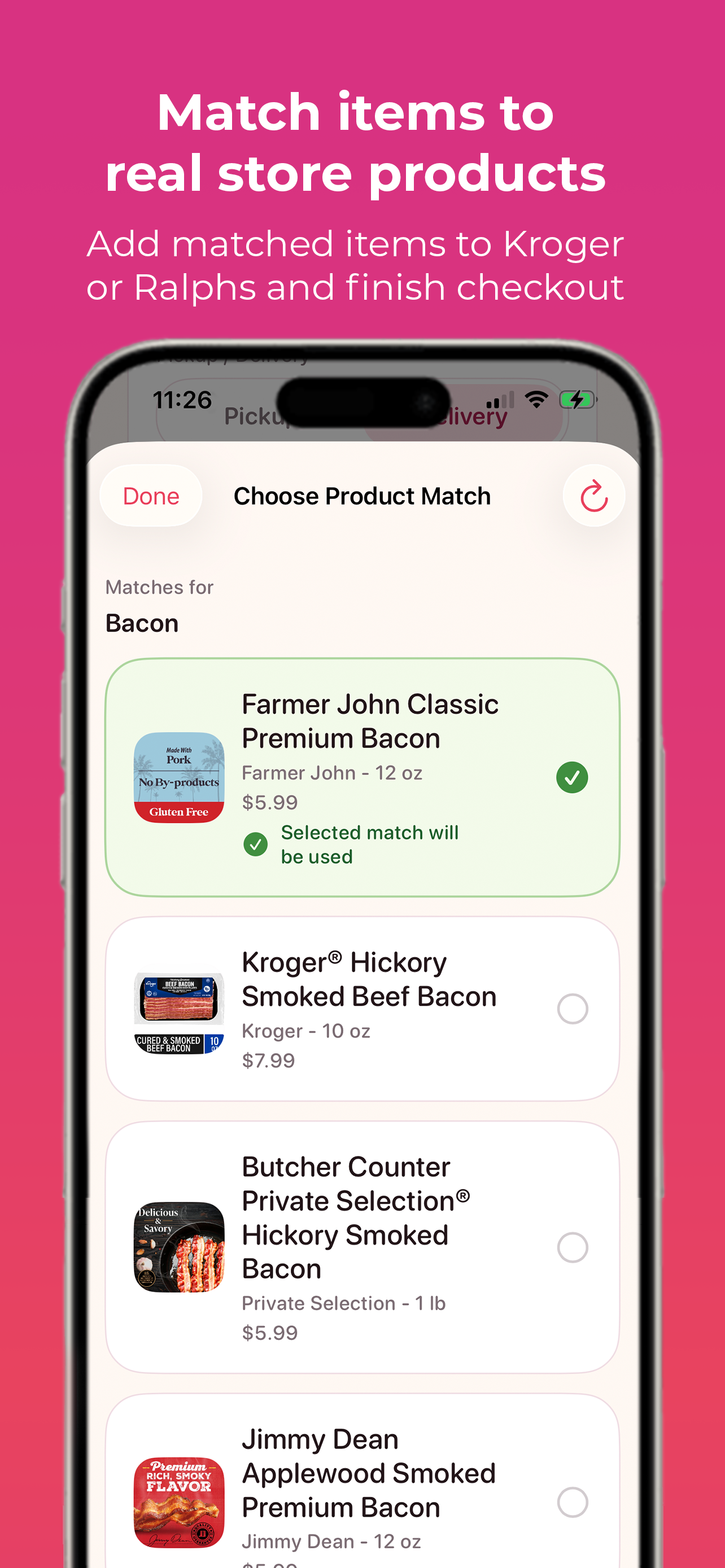
- Kroger/Ralphs support: Being explored around store selection, product matching, and cart handoff.
- You stay in control: Checkout, payment, substitutions, pickup, and delivery stay with the grocery provider.
Cookbook
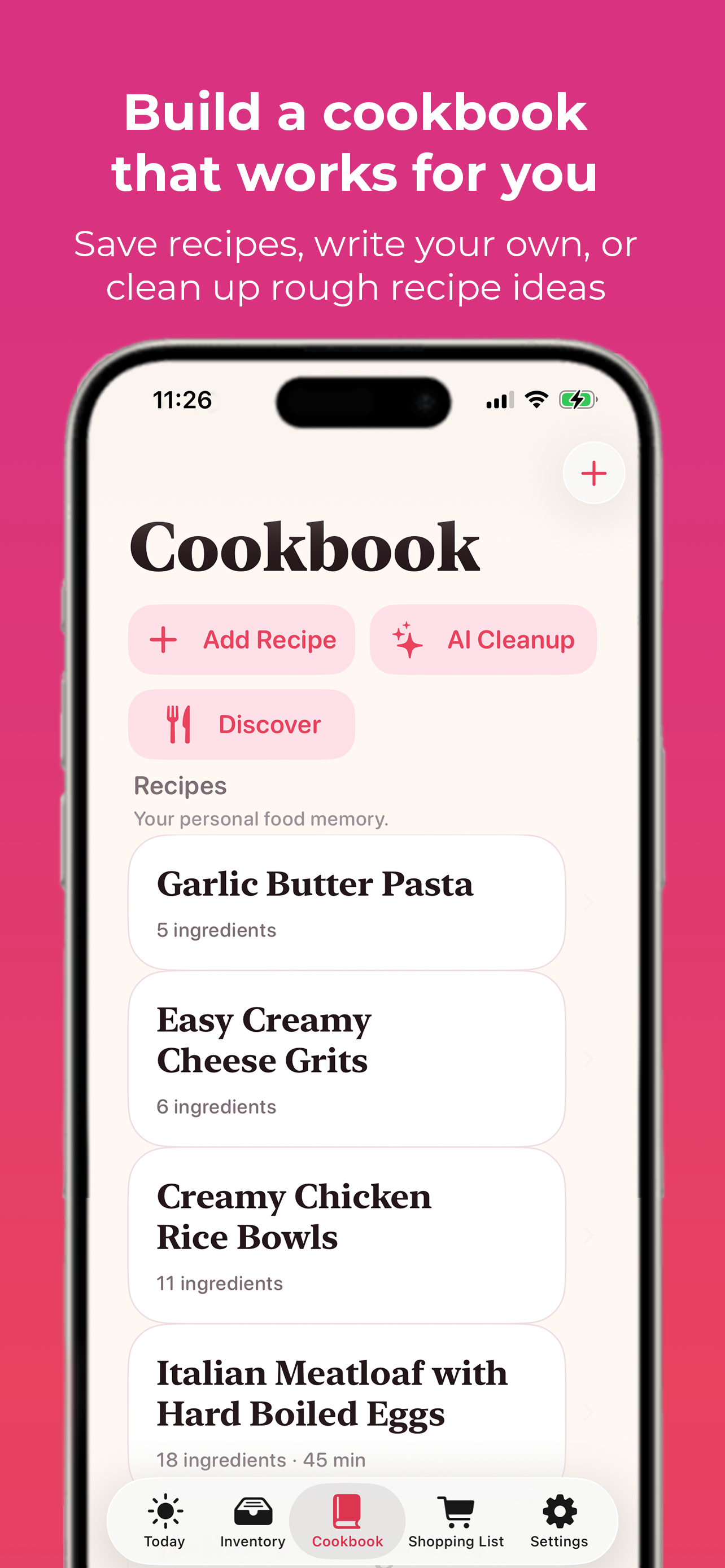
Save recipes you like, write your own, or clean up rough ideas.
You can write something messy like: Chicken broccoli rice thing. Chicken, broccoli, rice, garlic, soy sauce maybe green onions. Cook chicken, cook broccoli, put over rice.
- Clean up rough ideas: Turn a loose cooking note into a structured recipe with ingredients and steps.
- Save what works: Keep recipes you like so the app can use them again later.
- Build food memory: The Cookbook becomes your personal food memory instead of another forgotten note.
Morning Food Brief
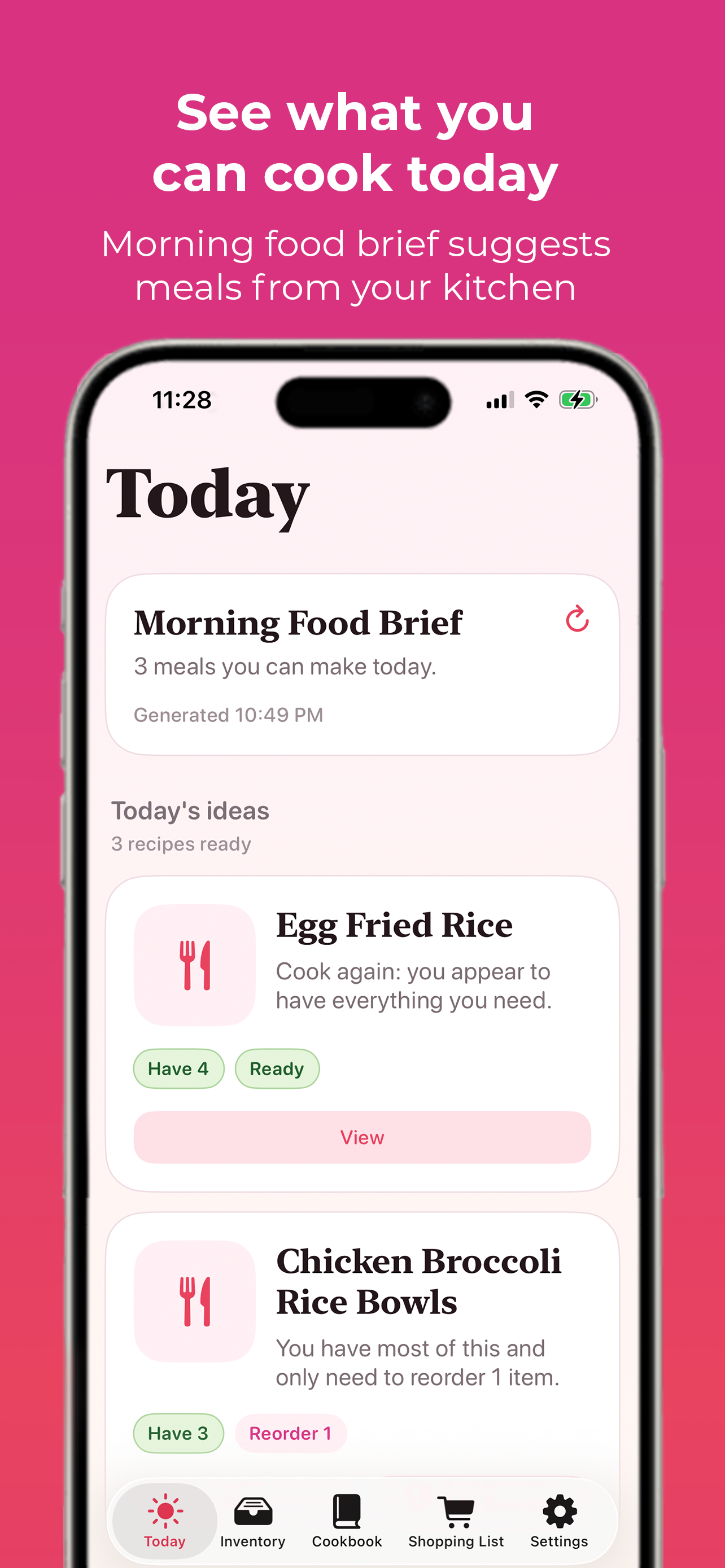
Gravitas Kitchen can recommend meal ideas for the day based on the food context you have already built.
- Your inventory: What is currently in stock.
- Your Cookbook: Recipes you have saved, written, or cleaned up.
- Your food history: Food you have added before and may want to reorder.
- Your preferences: Notes like no cilantro, love garlic, cheap meals, or high protein if possible.
- Recipe Assistant results: Meal ideas can be pulled in when needed.
It gives the app a daily rhythm: Here are three meals you can make today.
Built for normal kitchens
Gravitas Kitchen is not trying to be a perfect pantry tracker, nutrition platform, or smart fridge.
- You have food.
- You do not know what to cook.
- You buy duplicates.
- You waste ingredients.
- Then you order takeout anyway.
Gravitas Kitchen helps turn what you already have into meals and shopping decisions.
Feature snapshot
- Type or dictate food inventory and save it as your active kitchen inventory.
- Save active inventory and food history so prior foods can become reorder signals.
- Write, save, and clean up recipes for your personal Cookbook.
- Discover recipe ideas with natural Recipe Assistant prompts.
- View ingredients as Have, Product, Reorder, or Need before you shop.
- Add missing ingredients to a Shopping List from recipes or manual entries.
- Copy or save the Shopping List while keeping it editable.
- Send the list to supported grocery services where configured.
- Get Morning Food Brief recommendations for daily meal ideas.
Reach out to us
Have a feature idea, partnership request, or press question? Reach us through Linktree and we will point you to the right person.
Linktree