Apple Vision Pro • visionOS

Gravitas Album
Re‑discover your camera roll — like a place, not a list.
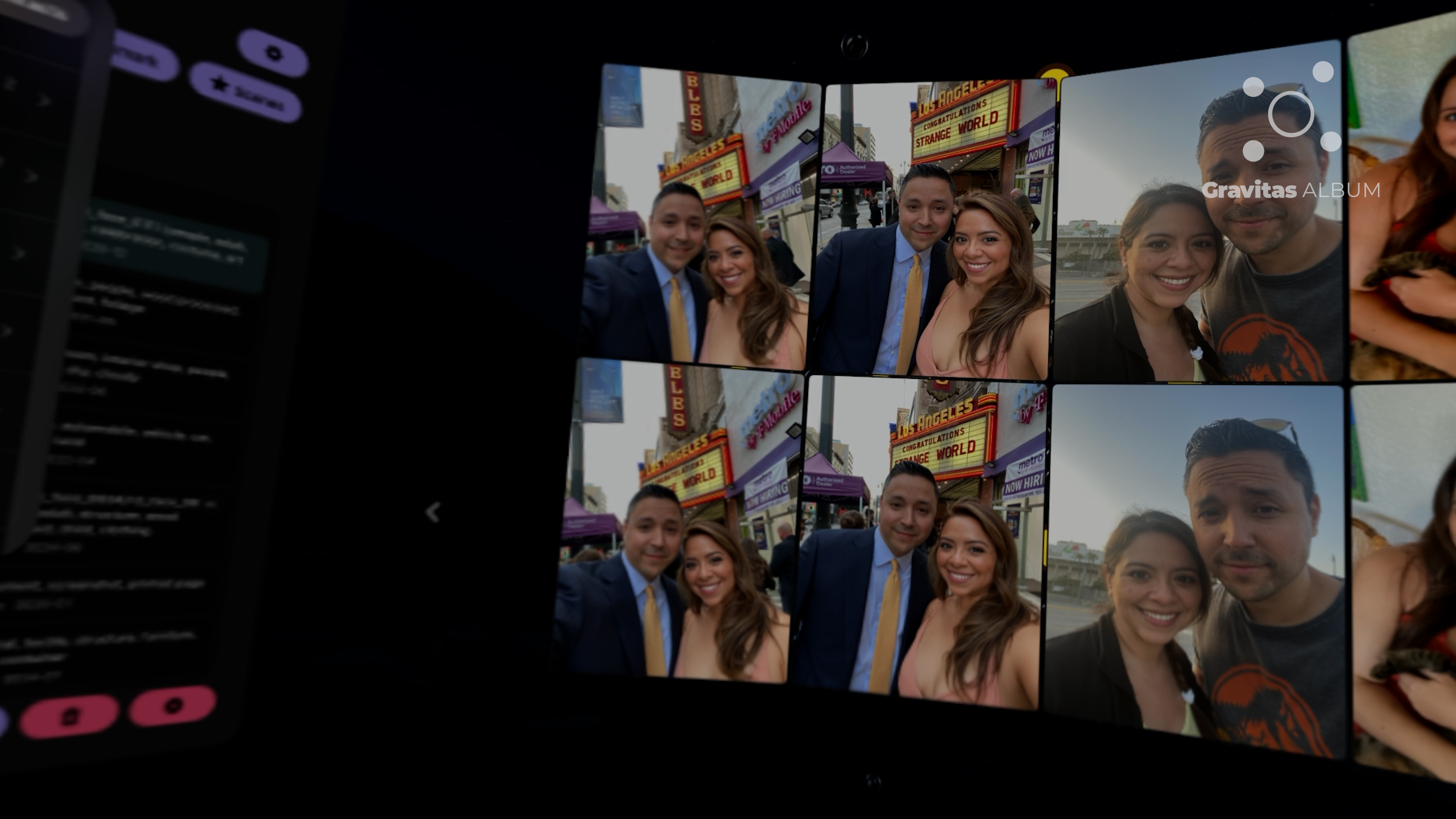
Album turns your iCloud Photo Library into a living museum you can walk through.
Video
Preview (YouTube Shorts)
Fact Sheet
Studio: Gravitas Discover
Platform: Apple Vision Pro (visionOS 26.0+)
Category: Spatial photo library • personal media discovery
Library: iCloud Photo Library
Modes: RECOMMENDS • MEMORIES
Privacy: On‑device processing • no uploads
Price: $4.99
Status: TestFlight beta
App Store: TBD
Product page: gravitasdiscover.com/gravitas-album.html
TestFlight: Join Beta
Press contact: Rich Fallat — rich.fallat@gravitasdiscover.com
Website: gravitasdiscover.com
Album is designed for personal libraries. Reviewers should use their own iCloud Photo Library for the intended experience.
Key Features
- Curved spatial wall: Browse a large slice of your library at once—step closer for detail, step back to see patterns.
- Two modes: RECOMMENDS for discovery and MEMORIES for time‑based chapters.
- Moments as clusters: Related photos, videos, screenshots, and fragments surface together—context reconstructs memory.
- Pop‑out windows: Tap an item to bring it forward and arrange it spatially.
- Constellations: Build constellations of moments you want to keep together.
- Persistent Hide: Hide unwanted content and it stays hidden.
- Scenes: Save a scene of popped‑out items and reload it later.
- Spatial‑first montage editor: Lay windows left → right in space (the layout is the timeline) and export a cinematic montage.
- File view: A straightforward camera‑roll tile browser when you need to grab something quickly.
Technical Details
- Device/OS: Apple Vision Pro • visionOS 26.0+.
- Input: Gaze + pinch + taps (standard Vision Pro interactions).
- Privacy: Everything runs locally on device; no cloud processing or uploads.
- Scaffold: Physics‑backed data visualization + on‑device intelligence + computer vision + a real‑time simulation.
Onboarding Notes
Important: Album isn’t a “demo” experience. It’s designed for your personal iCloud Photo Library—meaning emerges when your own moments cluster and resurface.
Quick Start
- Choose what you want to explore: Select your dataset (All Photos, a time slice, or an album selection).
- Start in MEMORIES: “Walk time” through adjacent moments from the same day/trip/period.
- Switch to RECOMMENDS: Like what resonates; hide what doesn’t; watch the system adapt in real time.
- Pop out anything meaningful: Arrange windows in space and save a Scene to revisit later.
- Export a montage: Lay windows left‑to‑right (the layout is the timeline) and export.
Modes at a Glance
| Mode | What it shows | Best for |
|---|---|---|
| RECOMMENDS | Real‑time recommendations from your library; thumbs up what matters; hide what doesn’t. | Discovery, resurfacing conceptually related memories. |
| MEMORIES | Adjacent moments from the same day/trip/period—photos, videos, screenshots, and nearby context. | Revisiting a chapter: “Take me back to that week.” |
Screenshots

Logos & Press Assets
Contact
Press & review requests: rich.fallat@gravitasdiscover.com
- Website: gravitasdiscover.com
- Product page: gravitasdiscover.com/gravitas-album.html
- TestFlight: Join Beta Program
See More Gravitas Apps
Part of the Gravitas Recommendation Engine Protocol (GREP)
Shopify Merchant App Discover Chrome App Reddit Chrome App Gravitas Dark Matter Threads Vision Pro Gravitas Reader Gravitas Crunch Gravitas Dream Gravitas Album